

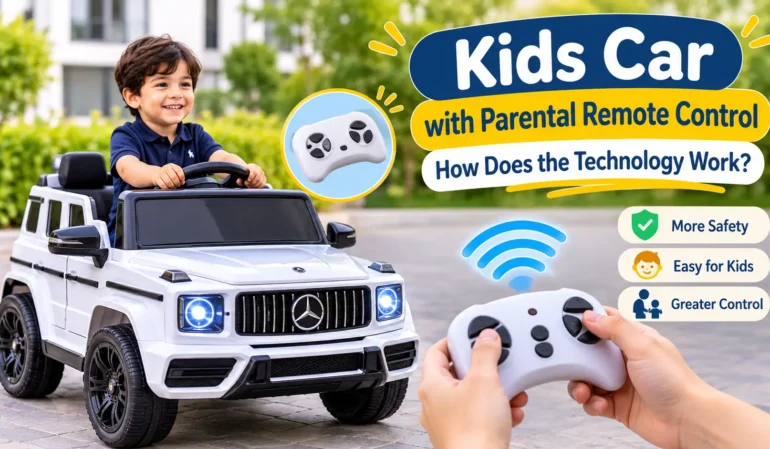
How Parental Remote Control Works in Kids Cars
A kids car with parental remote control gives children the excitement of driving while allowing parents to stay involved. These battery-powered vehicles come with a separate wireless controller that lets an adult manage movement, steering, and sometimes speed. This feature is especially useful for younger children who are still learning how to use the steering wheel and accelerator. Understanding how this technology works can help parents choose a suitable ride-on vehicle and use its controls correctly.
1. What Is a Parental Remote Control?
A parental remote control is a small wireless device that allows an adult to operate a ride-on car from a short distance. It usually looks like a compact game controller and comes with buttons for moving the vehicle forward, backward, left, and right.
Instead of depending completely on the child’s driving skills, parents can use the remote to guide the vehicle. This makes the driving experience easier for beginners and gives adults more control during playtime.
Many modern ride-on vehicles offer two driving options:
- Manual control: The child uses the steering wheel and accelerator pedal.
- Remote control: A parent operates the vehicle using the wireless controller.
Some models allow parents to switch between these options, while others give the remote priority over the child’s controls.
2. How Does the Remote Control Technology Work?
The technology behind a parental remote is easier to understand than it may seem. Most wireless controllers communicate with the vehicle through a radio signal.
Here is how the process works:
Step 1: Sending a Wireless Signal
When a parent presses a button on the remote, the controller sends a wireless signal to the vehicle. Many ride-on cars use 2.4GHz wireless technology for communication.
Step 2: Receiving the Signal
A receiver installed inside the vehicle picks up the signal from the remote. This receiver is connected to the car’s electronic control system.
Step 3: Processing the Command
The vehicle’s control system reads the command and decides what action to perform. For example, pressing the forward button tells the system to move the vehicle forward.
Step 4: Moving the Vehicle
The control system sends power to the motors and steering mechanism as required. The wheels then move in the selected direction.
The same process happens when a parent chooses reverse, left, or right. All of this takes place within a short time, allowing the vehicle to respond to the remote.
3. What Can Parents Control With the Remote?
The available functions depend on the vehicle model. However, many parental controllers include some common options.
- Forward movement: Moves the vehicle ahead.
- Reverse movement: Makes the vehicle move backward.
- Left steering: Changes the direction towards the left.
- Right steering: Changes the direction towards the right.
- Speed selection: Some remotes allow parents to select between different speed settings.
- Stop function: Certain controllers provide a button to stop the vehicle.
Not every remote has all these functions. Parents should read the product manual to understand the buttons and available controls before allowing a child to use the vehicle.
4. Understanding 2.4GHz Wireless Technology
Parents may notice the term 2.4GHz in product descriptions. It refers to the radio frequency used by the remote to communicate with the vehicle.
This technology allows the controller to send commands without requiring a physical wire. It also supports responsive communication between the remote and the vehicle.
Some controllers need to be paired with the vehicle before their first use. Pairing connects a particular remote to its intended vehicle so that it can receive the correct commands.
The pairing process can differ between models, so it is important to follow the instructions supplied by the manufacturer.
5. Why Is Parental Remote Control Important?
Remote control is not only an extra feature for convenience. It can make the driving experience easier to manage, particularly when children are still learning.
Here are some important benefits:
Better Supervision
Parents can guide the vehicle when a child is not yet confident with steering or acceleration. They can also help manage its direction during supervised play.
Helpful for Beginners
Young children may not understand how to coordinate the steering wheel and accelerator. A remote allows parents to assist until the child becomes more comfortable.
More Control During Playtime
Parents can use the controller to guide the vehicle away from obstacles or stop it when necessary, depending on the model’s functions.
Supports Independent Learning
As children become more familiar with the controls, parents can gradually allow them to operate the vehicle themselves while remaining nearby.
6. Examples of Ride-On Cars With Parental Remote Control
Different manufacturers offer remote-control technology in several vehicle designs, including sports cars, pickup trucks, and off-road jeeps.
For example, the Gambol New Toyota Hilux 2021 Licensed Ride-On Car available in the ToysUAE collection includes a 2.4G Bluetooth remote control and manual driving controls. It also features a 12V battery, safety belt, LED lights, and a recommended age range of 3 to 7 years.
Another example is the Gambol Ford F450 12V Ride-On Truck, which includes parental remote control to assist younger drivers.
These examples show how remote-control technology can be included in different vehicle styles and battery configurations.
7. What Should Parents Check Before Buying?
Not all remote-control systems work in exactly the same way. Before choosing a kids electric car, parents should check a few important details.
- Remote compatibility: Make sure the controller is supplied with the vehicle.
- Wireless connection: Check whether the remote uses 2.4GHz technology.
- Available buttons: Understand which movements and functions the remote supports.
- Speed settings: Look for models that offer suitable speed options.
- Manual driving: Check whether children can operate the vehicle independently.
- Battery condition: Make sure the vehicle and remote are properly charged or have working batteries.
- Age suitability: Follow the manufacturer’s recommended age and weight limits.
It is also useful to check whether the remote can override the child’s manual controls. This function is not identical across all models.
8. Tips for Using a Parental Remote Safely
Even when a vehicle includes remote-control technology, adult supervision is still important.
Follow these simple tips:
- Read the instruction manual before using the remote.
- Test the controller in an open and flat area.
- Check that the remote is correctly paired with the vehicle.
- Start with the lowest available speed setting.
- Keep children away from roads, steep slopes, and swimming pools.
- Check the brakes, steering, wheels, and battery before use.
- Keep the remote within the manufacturer’s recommended operating range.
Parents should remember that a remote control is an additional safety feature, not a replacement for direct supervision.
Frequently Asked Questions
1. Can parents control a ride-on car without the child using the steering wheel?
Yes. Models with parental remote-control mode allow adults to operate the vehicle without relying on the child’s steering inputs.
2. Does every ride-on car come with a remote control?
No. Some models only offer manual driving, while others include both manual and remote-control options. Always check the product specifications.
3. What does 2.4GHz mean in a parental remote?
It refers to the wireless radio frequency used to send commands between the remote and the vehicle.
4. Can parents stop the vehicle using the remote?
Some models include a dedicated stop function or allow parents to stop movement through the controller. The available functions depend on the model.
5. Does the remote control need a separate battery?
Many remote controllers use separate batteries. Check the product manual to find out which battery type is required and whether batteries are included.
6. Can children drive the vehicle themselves after using the remote?
Yes. Many models support both parental remote operation and manual driving, allowing children to practise controlling the vehicle as they become more confident.
Final Thoughts
Parental remote-control technology makes ride-on vehicles easier for adults to manage while children enjoy a driving experience. Through wireless signals, receivers, and electronic control systems, parents can guide movement and steering without sitting inside the vehicle.
When comparing different models, it is worth checking the remote’s functions, wireless connection, speed settings, and manual driving options. Understanding these features can help parents select a suitable ride-on vehicle for their child’s age and experience.